Installation
TickForge ships as a native desktop app for Windows, macOS, and Linux. Download the installer for your platform from your account page and follow the steps below.
System requirements
- Windows 10 or later (64-bit)
- macOS 12 or later (Intel & Apple Silicon)
- Linux AppImage — runs on most modern distros (glibc 2.35+, 2022 or newer)
- TWS or IB Gateway running locally with API access enabled
Enabling the IBKR API
Before TickForge can connect, turn on API access in TWS or IB Gateway. Open the Configuration window (in TWS: File → Global Configuration) and go to the API section. The same three pages exist in both TWS and IB Gateway.
API → Settings
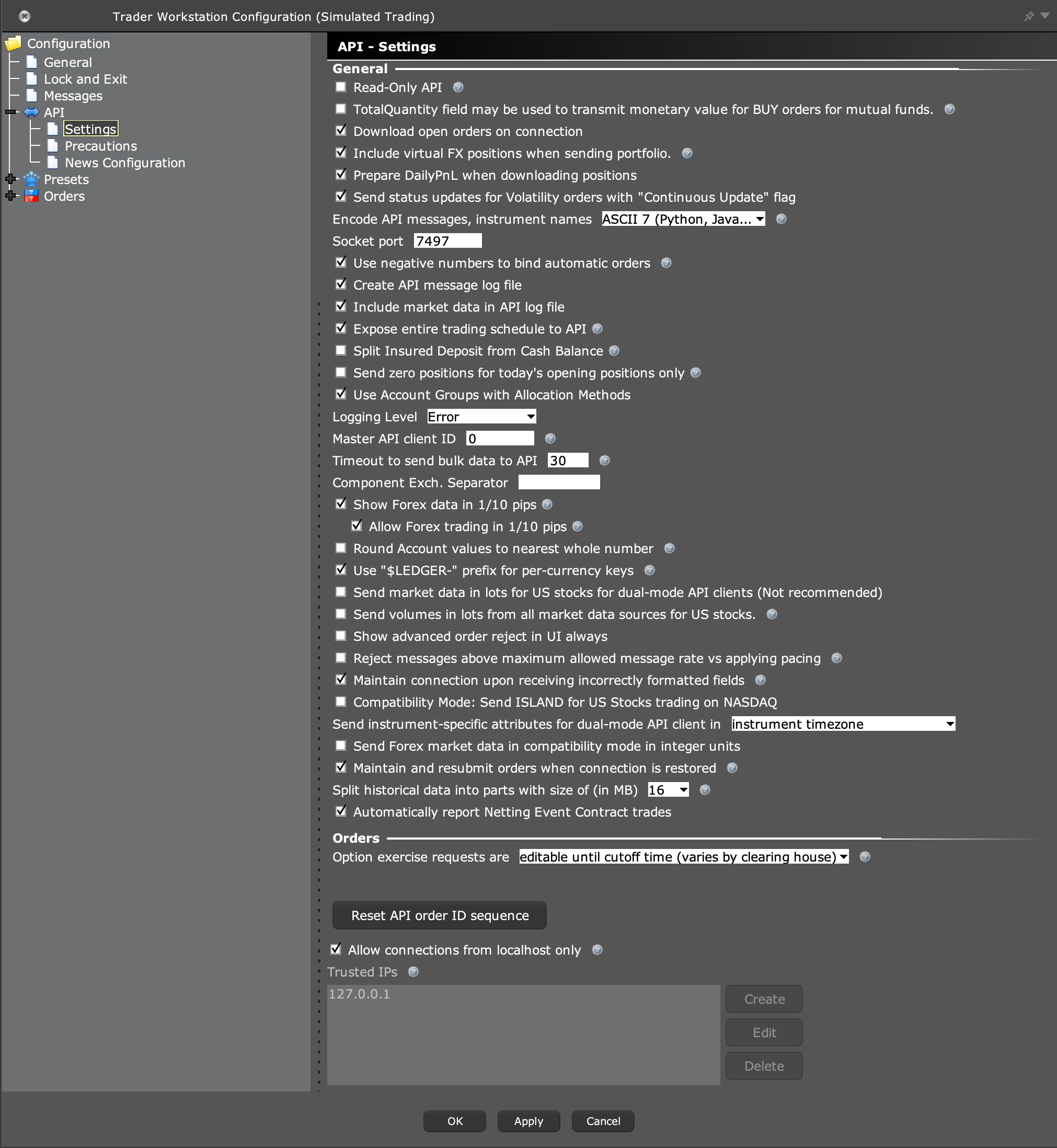
Turn on the socket API — "Enable ActiveX and Socket Clients".
Note the Socket port; TickForge connects to it. The defaults are:
TWS live:      7496
TWS paper:     7497
Gateway live:  4001
Gateway paper: 4002
Leave Read-Only API unchecked — if it's on, TickForge can show data but can't place orders.
Important: leave "Send market data in lots for US stocks for dual-mode API clients (Not recommended)" and "Send volumes in lots from all market data sources for US stocks" unchecked — TickForge needs volume reported in shares to display it correctly.
Keep Allow connections from localhost only checked, and make sure
127.0.0.1is in the Trusted IPs list (TickForge runs on the same machine).
Point TickForge at this port in the onboarding wizard (or Settings → Connection).
API → Precautions
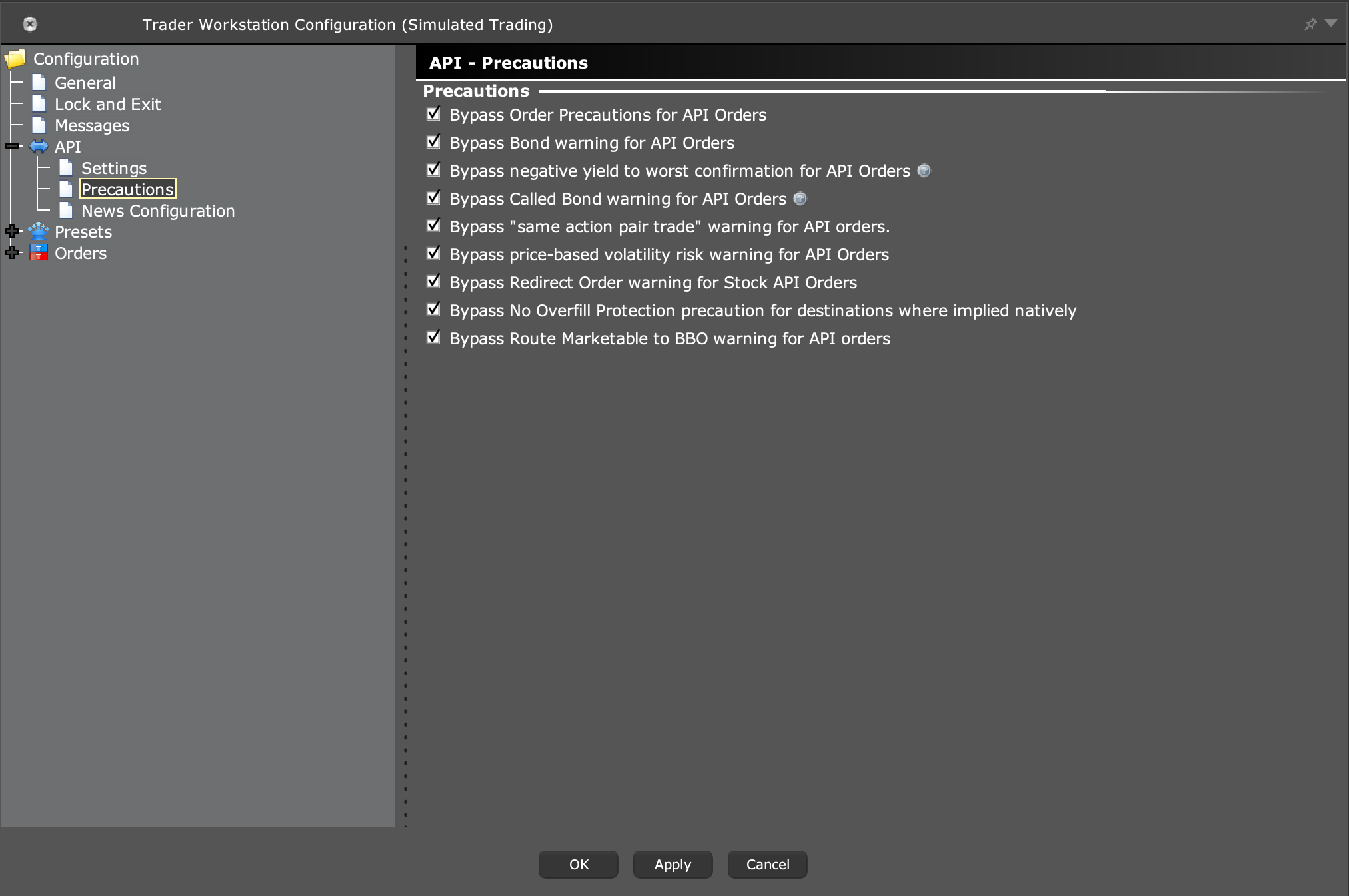
Tick the "Bypass … for API Orders" boxes. This stops TWS from interrupting every API order with its own confirmation pop-ups — TickForge still shows its own order review (unless you turn on Quick Trade Mode). Without these, hot-key and script orders can stall waiting on a TWS dialog.
API → News Configuration
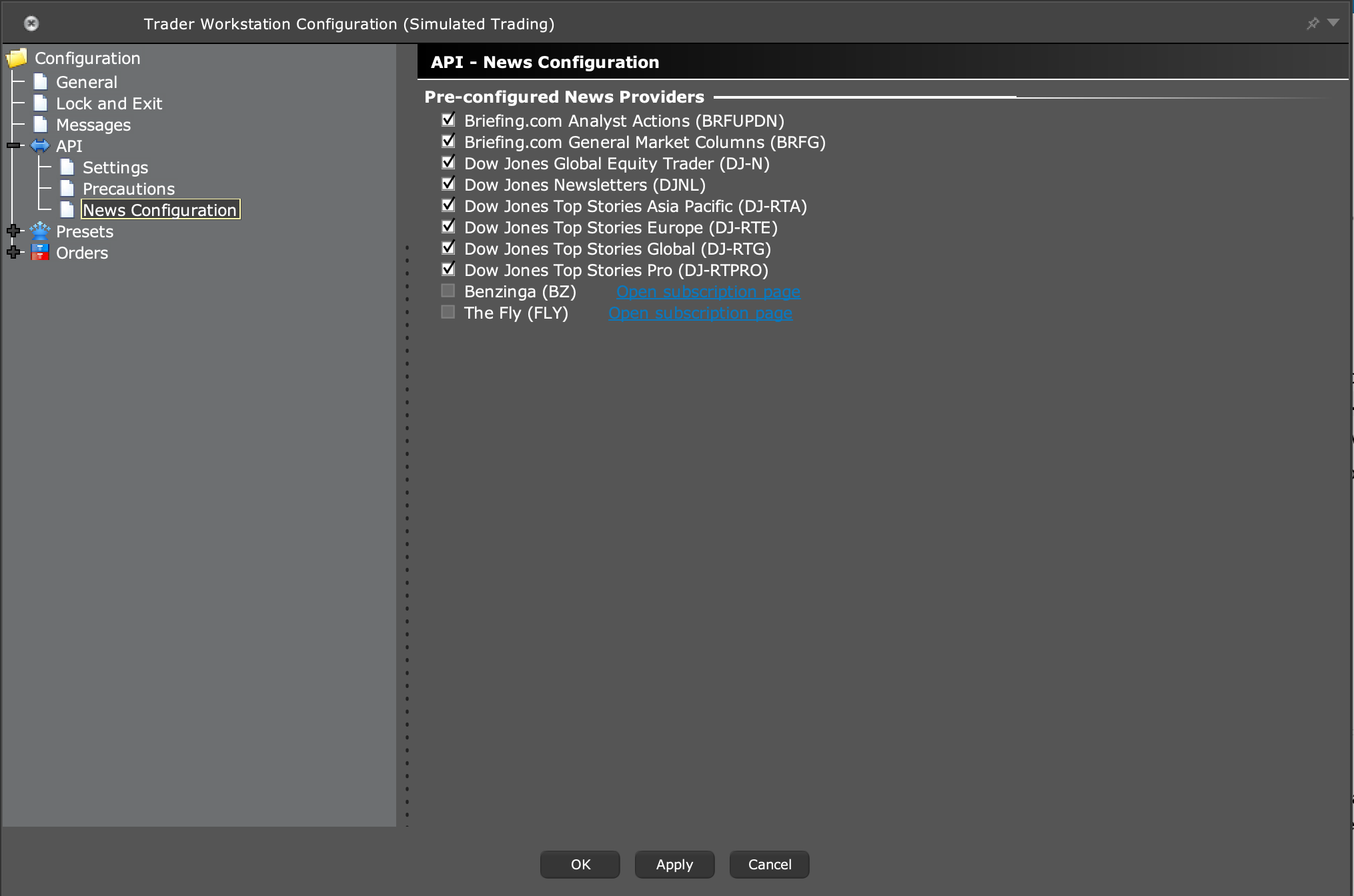
Enable the news providers you're subscribed to (Dow Jones, Briefing.com, …). These feed the TickForge News widget; a provider you don't enable here won't show up there.
Market-data subscriptions
TickForge shows live quotes, charts, and depth, so your Interactive Brokers account needs the right market-data subscriptions. Without them, symbols show no real-time price (or only delayed snapshots). You manage these in IBKR's Client Portal → Settings → Market Data Subscriptions — in your account, not in TickForge.
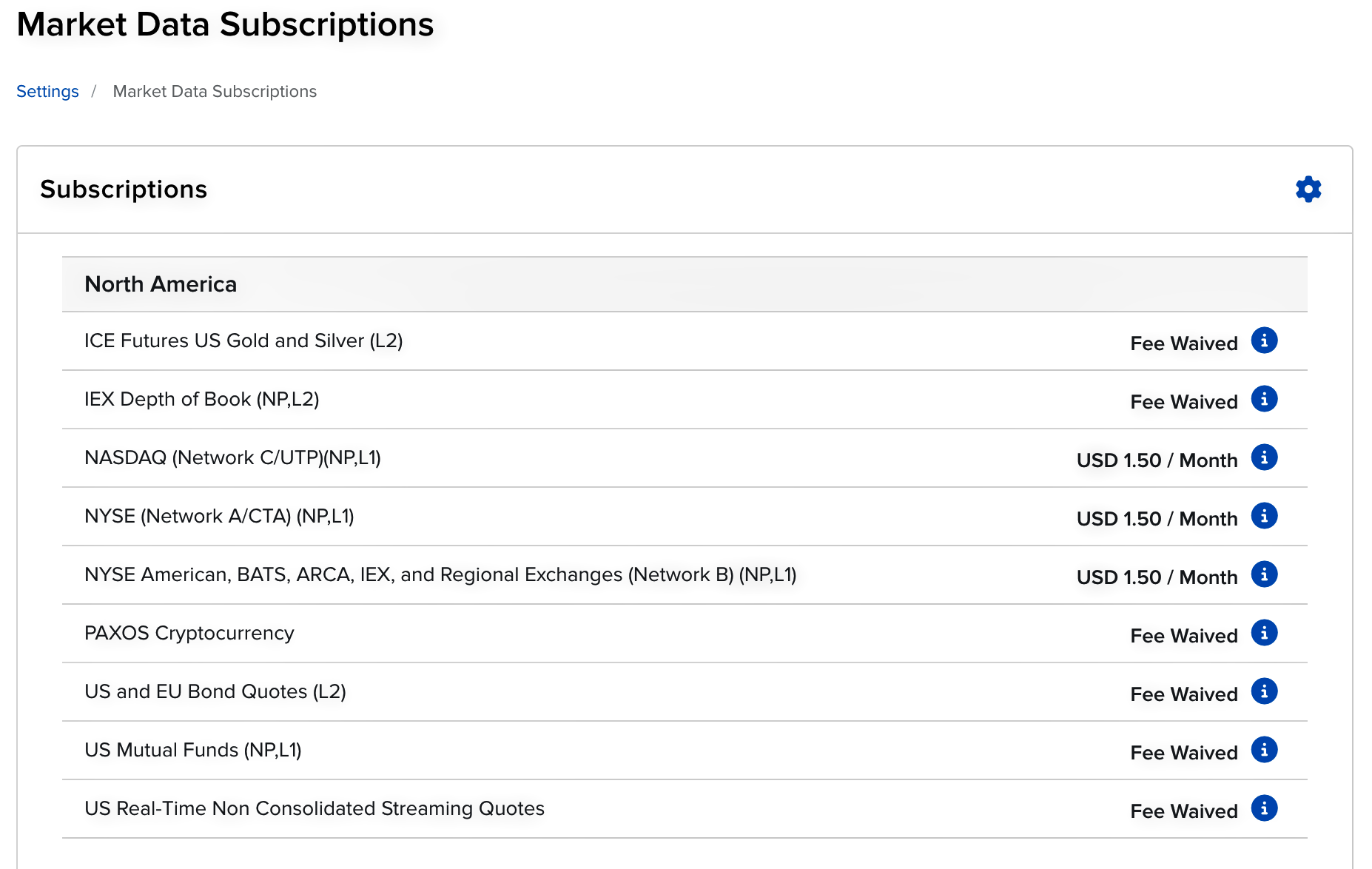
For trading US stocks, the core feeds are the three US Level 1 networks:
- NASDAQ (Network C/UTP) — Nasdaq-listed names.
- NYSE (Network A/CTA) — NYSE-listed names.
- NYSE American, BATS, ARCA, IEX, and Regional Exchanges (Network B) — the rest of the US tape.
In this example each is USD 1.50 / month (prices and bundles vary by account type and region). Several related feeds — such as US Real-Time Non-Consolidated Streaming Quotes, IEX Depth of Book, and US Bond / Mutual Fund quotes — are Fee Waived.
TickForge is a modern data terminal for day-trading the US stock market, so these US-equity feeds are the ones it relies on. Market-data fees are billed by Interactive Brokers, not TickForge.
Verifying the connection
Once connected, TickForge shows a green status indicator. If it stays red, check that:
- TWS / IB Gateway is running and you are signed in.
- The API is enabled and the port matches.
127.0.0.1is in the API Trusted IPs list.
Where to next
- First-run setup — connect TickForge and load your first workspace.